Karel on the Palm Pilot
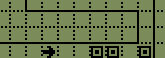 Karel
the robot is an educational tool for teaching programming. Karel is a robot
with a simple vocabulary of actions it can perform and conditions it can sense.
Karel lives in world of streets and intersections. Karel's world contains
walls which are impassable, and beepers. Beepers are little
devices which emit a quiet beeping sound. Karel can tell when a beeper is
present and can pick up a beeper, placing it into a carry bag, and drop a beeper
out of his carry
bag.
Karel
the robot is an educational tool for teaching programming. Karel is a robot
with a simple vocabulary of actions it can perform and conditions it can sense.
Karel lives in world of streets and intersections. Karel's world contains
walls which are impassable, and beepers. Beepers are little
devices which emit a quiet beeping sound. Karel can tell when a beeper is
present and can pick up a beeper, placing it into a carry bag, and drop a beeper
out of his carry
bag.
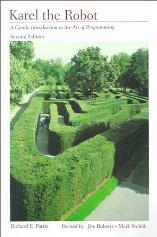 Karel the robot is
described in the book Karel
The Robot: A Gentle Introduction to the Art of Programming (second
edition, 1994) by Richard E.
Pattis (with contributions from Jim Roberts and Mark Stehlik). The first
edition of the book was published in 1981.
Karel the robot is
described in the book Karel
The Robot: A Gentle Introduction to the Art of Programming (second
edition, 1994) by Richard E.
Pattis (with contributions from Jim Roberts and Mark Stehlik). The first
edition of the book was published in 1981.
Using Karel to teach programming has the following advantages:
- It focuses on problem solving, not on details of programming (e.g.
shuffling characters around arrays)
- It is easy to see what a program is doing - this makes debugging and
understanding easier
- The Karel language is simple: it contains standard control structures but
does not have expressions
- Importantly: It's fun!
 There are a number of
simulators for Karel. I've created an implementation for the Palm Pilot using PocketC. You write a PocketC program using a
subset of the language (including Karel's primitives which I've implemented).
This is compiled with PocketC and run. A major advantage of having a Palm Pilot
implementation is that you can practice programming on the run (on public
transport, during boring lectures :-), etc.) without needing to lug around a
laptop or worry about batteries running out.
There are a number of
simulators for Karel. I've created an implementation for the Palm Pilot using PocketC. You write a PocketC program using a
subset of the language (including Karel's primitives which I've implemented).
This is compiled with PocketC and run. A major advantage of having a Palm Pilot
implementation is that you can practice programming on the run (on public
transport, during boring lectures :-), etc.) without needing to lug around a
laptop or worry about batteries running out.
IMPORTANT: You will need a registered
version of PocketC since you'll be compiling programs. PocketC isn't expensive
and if you're learning programming it's useful to have.
Installing Karel: I assume you already have PocketC installed. You'll
need to download this memo
(also available as a zip file)
and sync it onto your palmpilot (open it with a text editor such as notepad,
select all, copy, paste into a new memo in the Palm Desktop, then sync).
Karel can perform the following actions:
- turnOn() starts the simulator. This must be the first
command in your program.
- move() moves Karel one square forwards.
- turnLeft() and turnRight() turns Karel
90 degrees to the left or right.
- pickup() picks up a beeper if there is one present,
otherwise does nothing.
- drop() drops a beeper if there are any beepers in Karel's
bag, otherwise does nothing.
Karel also can sense various conditions:
- blocked() is true if Karel cannot move forwards.
- wallLeft() is true if there is a wall to Karel's left.
- wallRight() is true if there is a wall to Karel's right.
- holdingBeeper() is true if Karel's beeper bag contains at
least one beeper.
Additionally, the implementation provides a number of useful operations:
- editWorld() starts up a world editor which allows you to
place and delete walls and beepers into Karel's environment.
- saveWorld(s) saves the world (i.e. the location of
walls and beeperes) to memo s. For example,
saveWorld("world1") creates a memo called
world1 which stores the world. This memo can later be loaded.
- loadWorld(s) loads a world from a memo.
- When Karel runs he pauses after every operation, this pause can be made
shorter or longer by the command setPause(n) where
n is the length of the pause in milliseconds. For example,
setPause(2000) would ask Karel to pause for two seconds after
every action.
- When Karel moves he clicks and when he bumps into a wall he beeps. This
can be turned off with setSound(0) and turned back on with
setSound(1).
The following simple program can be used to create worlds:
// KarelMakeWorld
include "karel"
main() {
    turnOn();
    editWorld();
    saveWorld(gets("Name?"));
}
Run this program, edit the world and write a letter (any letter) to
finish. The program will ask for a memo name to save the world to. When writing
your Karel program, start off with a loadWorld. For example,
suppose you've edited a world and saved it to a memo titled
myWorld. Then a Karel program which operated in that world
would look like this: // KarelExample
include "karel"
main() {
turnOn();
loadWorld("myWorld");
... your code here ...
}
This illustrates the general form of a Karel program:
- It begins with a line of the form // program name
- It then contains the line include "karel" followed by the
main function main() {
- The first command is turnOn();, often (but not
necessarily) followed by loadWorld("worldname")
(However, you must have either loadWorld() or
editWorld()).
- Karel's program follows, finishing with a closing brace:
}
- Note that all commands are followed by a semicolon
In addition to the actions and sensors described above, Karel programs can
make use of standard PocketC constructs. Specifically, the following are useful:
Let us consider now a simple example: we want Karel to move forward
collecting all beepers found until he hits a wall. Then Karel should move north
(i.e. up) until he finds a space to his left, then drop the beepers in a row,
and park. This is done by the following program.
// KarelExample
include "karel"
main() {
    turnOn(); setPause(370);
    loadWorld("karel1world");
    while (!blocked()) {
        move();
        if (beeper()) pickup();
    }
    turnLeft(); move();
    while (wallLeft()) move();
    turnLeft();  move();
    while (holdingBeeper()) {
        drop(); move();
    }
    turnRight();
    move(); move();
    waitp();
}
The waitp(); tells PocketC to wait for a pen tap before
finishing the program.
To compile the program tap on the PocketC icon, tap on the compile button,
select the program (KarelExample), then tap on the compile button. To
run the program run PocketC, select the program rom the list of compiled
programs, and tap on the execute button.
The following animated gif shows the program running (click it for a larger
version):
![[Example]](karol6_soubory/example.gif)
Karel is named after the Czechoslovakian
dramatist Karel Capek who, in 1920, wrote the play R. U. R. (Rossum's
Universal Robots) which made the word robot popular.
Copyright © 2001 Michael Winikoff (winikoff@winikoff.net)
 Karel the robot is
described in the book Karel
The Robot: A Gentle Introduction to the Art of Programming (second
edition, 1994) by Richard E.
Pattis (with contributions from Jim Roberts and Mark Stehlik). The first
edition of the book was published in 1981.
Karel the robot is
described in the book Karel
The Robot: A Gentle Introduction to the Art of Programming (second
edition, 1994) by Richard E.
Pattis (with contributions from Jim Roberts and Mark Stehlik). The first
edition of the book was published in 1981.